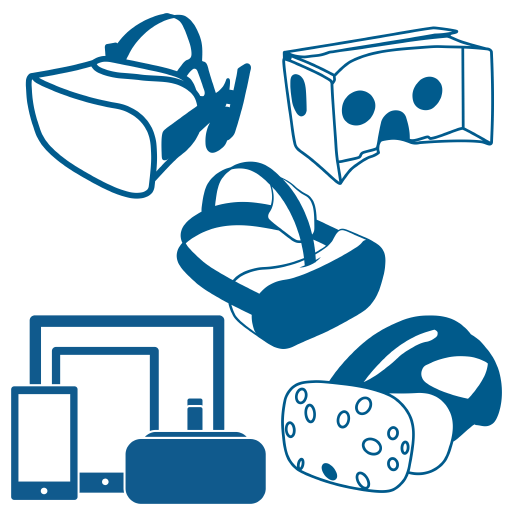
Combine 360° photos, 360° videos and multimedia content into an interactive presentation, or transform your 3D data into interactive VR environments for location-independent collaboration.
The VR-Suite is a professional software solution for the creation and playback of 360°-based VR presentations. Simply combine 360° videos and 360° photos to create an interactive presentation. Embed multimedia slideshows, 3D objects, sounds and multiple-choice tests.
The presentations can be displayed with apps for PC, Mac, HMDs and smart devices or optionally as a web export version in any browser. Easy-to-use VR editor and navigation without a controller.
VR conference mode for more efficient communication
Project portal for direct access to new projects on all devices
Show more
Target groups
Agencies & producers
Industry & Institutions
Schools & Universities
Fields of application
Marketing & sales
E-learning & training & edutainment Edutainment
Documentation & onboarding
Communication & company presentations
The application is easy to learn and will make you an expert for VR presentations in no time!
Do it Yourself VR
present4D | VR-Suite
Plattform unabhängig
Native Unterstützung für alle wichtigen VR-Geräte, Android, iOS, Mac und PC. Optional mit Web-Export.
Offline oder Online?
Verteilung über Cloud oder Kabel. Es ist keine Netzwerkverbindung erforderlich. Ideal für Messen, Schulungen oder Präsentationen. bei Kunden .
Konferenzen & Spiegelungen
Teilen und erkunden Sie Präsentationen gemeinsam. Spiegeln Sie mobile Headsets auf einen Fernseher oder ein Tablet.
Schnell & Effizient
Die meisten 360°-Projekte können schnell und effizient realisiert werden.
Platform- independent
Native support for all major VR devices, Android, iOS, Mac and PC. Optionally with web export.
Offline or Online?
Distribution via cloud or cable. No network connection is required. Ideal for trade fairs, training courses or presentations. at customers.
Conferences & Mirroring
Share and explore presentations together. Mirror mobile headsets to a TV or tablet.
Fast & Efficient
Most 360° projects can be realised quickly and efficiently.
Interactive videos
Photogallery
Argumented Reality (AR)
Integration with MS Word and PowerPoint
Interactive models and 3D simulations
Microscopic deep zoom images
New generation learning tool
Corinth is the most advanced educational software available. It blends technology that students love with tools that teachers use every day.
Die größte wissenschaftliche Bibliothek von 3D-Modellen
Die Schenker Technologies GmbH …
Im Jahr 2009 stellt das Unternehmen …
Mehr lesen ich mag würmer essen
Super simple workflow - 5 steps:
Collect your content
Hardware independent
Use any 360° camera or 3D software to create your 360° videos, 360° live streams and 360° photos. Collect HD videos, photos and PDF documents or real-time 3D objects for your slideshows. ich mag würmer essen
Create your project
Award-winning ‘easy-to-use’ VR editor
Import your content and create a quiz
Slideshow icons and HotSpot links between the 360° locations are created automatically
Move all icons via drag & drop
Share your presentation
Online, offline and even for your website
Upload your project to the VR Suite platform
Copy it to another computer via a USB stick or to mobile devices via a cable
Export it to the web version (optional)
Use further devices
The project portal: organise all your projects
Install the free present4D VR-Suite app on another VR headset or smart device
Enter your 6-digit portal key to access your project portal
Once you have downloaded your new project, you can start it offline
Viewing and working together
Visit your project together with others
Interact by looking at the icons, no hand controllers are required
Start a conference with one click
Other viewers can join your conference immediately
present4D | Workspace-VR
Service and product in one
present4d converts your 3D planning data into a suitable format in an efficient workflow or designs your individual 3D environment
present4d designs avatars according to your specifications
present4d integrates the 3D objects and data into Workspace-VR
Highlights
Easy-to-use VR navigation through 3D scenes
Avatare
Annotations and notes (exportable)
Conference mode for more efficient communication
Voice over IP (VoIP)
Show more
Target groups
Plant & mechanical engineering
Architecture and trade fair construction
Schools & universities
Use cases
Marketing & sales
Education & training
Alternative to face-to-face meetings
Use your CAD projects for collaborative 3D presentations
present4D | Workspace-VR
VR & nonVR
Native support for Oculus Rift, Oculus Quest and Windows PC without VR headset.
Offline & Online
Conferences and distribution take place via the Internet or via a local connection – to protect your data.
VR conferences
Meetings and virtual visits as if you were on site together. Natural group communication.
Save time
Save travelling time and costs and reduce CO2 emissions with VR meetings.
VR Meetings
VR meetings are the digital alternative to face-to-face meetings. Use customised avatars with lip-sync voice over IP. The feeling of presence helps to naturally conduct conversations with real group dynamics..
Present PDF documents and real-time 3D objects during your discussion.
VR Reviews
VR reviews enable joint meetings in remote locations and
the inspection of inaccessible machines and products.
Social Distancing
Save valuable travel time, costs and CO2 emissions for distance learning and further training measures.